
Oscilloscope music: how to see it in your browser
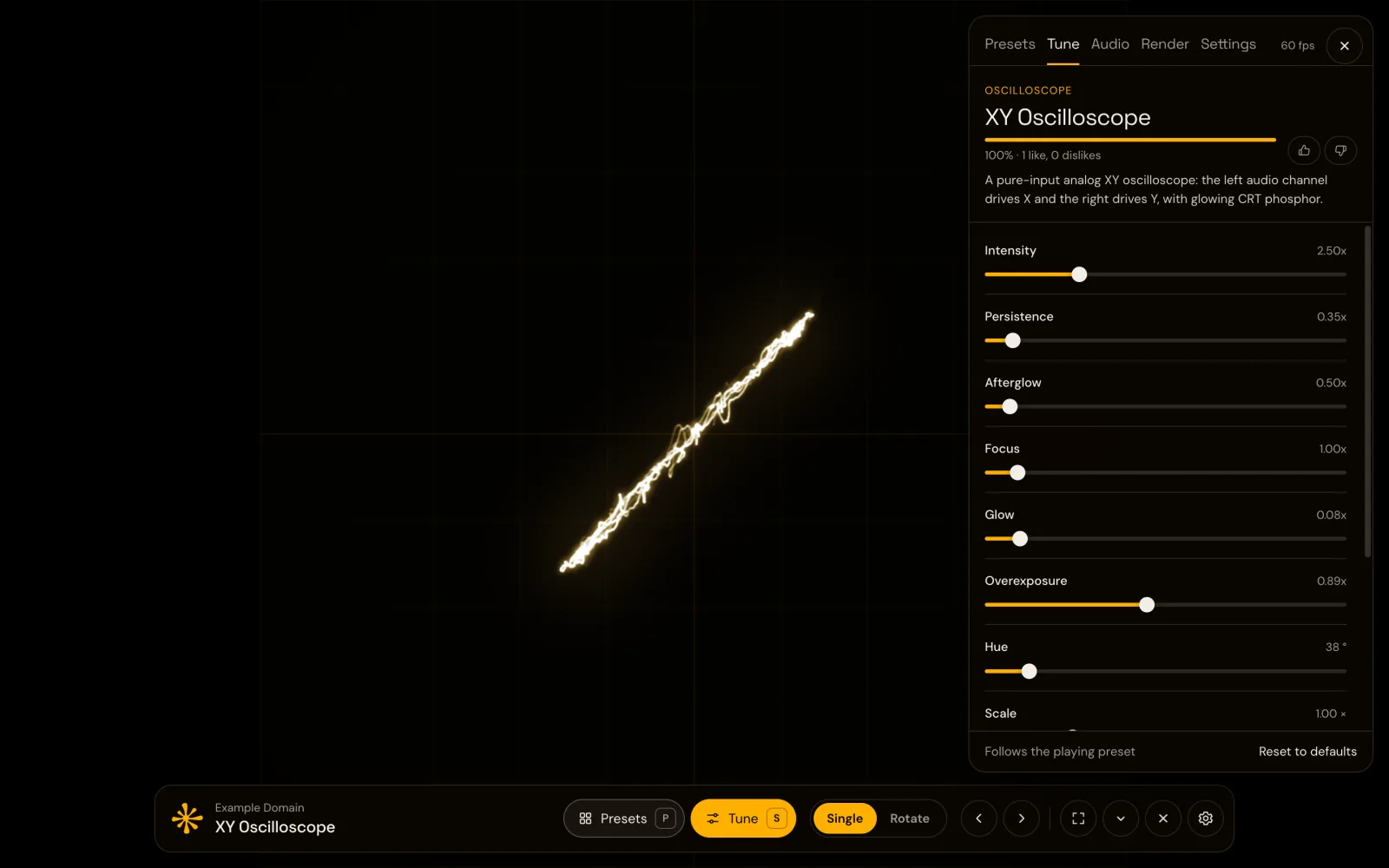
Oscilloscope music is a genre where the sound itself is the drawing. Played into an oscilloscope in XY mode, a track paints spinning cubes, planets, text and morphing figures, and every line you see is the waveform you hear. Artists like Jerobeam Fenderson have built whole albums this way.
You don't need a lab instrument to see it. A software oscilloscope in the browser shows the same shapes.
How XY mode works
A normal oscilloscope draws a signal over time. In XY mode it takes two signals instead: one moves the beam left and right, the other up and down. Feed it a stereo track and the left channel becomes X, the right channel becomes Y. The beam traces the shape thousands of times per second, so it looks solid, and the phosphor glows brighter where the beam lingers.
Oscilloscope musicians design both channels together, so the audio sounds like music and draws a picture at the same time. That's why an ordinary song draws only a tangle of lines, and why mono sound collapses into a single diagonal: both channels are identical.
See it in Chrome
- Install Deus, a free Chrome extension.
- Play an oscilloscope music track on YouTube, for example Planets, N-Spheres or Function by Jerobeam Fenderson.
- Click Deus and choose Visualize this tab.
- Press P, open the Oscilloscope tab and choose XY Oscilloscope. Go fullscreen with F.
Deus simulates an analog CRT: the raw stereo waveform, every sample, with no spectrum or beat analysis in between, and a glowing trace. The Oscilloscope tab also lists tracks to try.
Tips for clean shapes
- Use the original stereo. Effects that widen, narrow or "enhance" stereo distort the picture. Turn them off in your system or browser.
- Keep the volume steady. The shape's size follows the level, so a normal listening volume looks best.
- Compression smears detail. Streaming audio is compressed, so very fine lines can look softer than on the artist's lossless files. The shapes are still clearly visible.
Turn it into a video
If you make oscilloscope music yourself, you can render a video of XY Oscilloscope over your own audio file, up to 4K at 60 fps, in 16:9, 9:16 or 1:1. It's an easy way to post your tracks on YouTube with the shapes visible.
Deus also has other scope-style presets, plus MilkDrop and shader visuals for regular music. All free, no account needed.