
Magic mode: a music visualizer that doesn't get boring
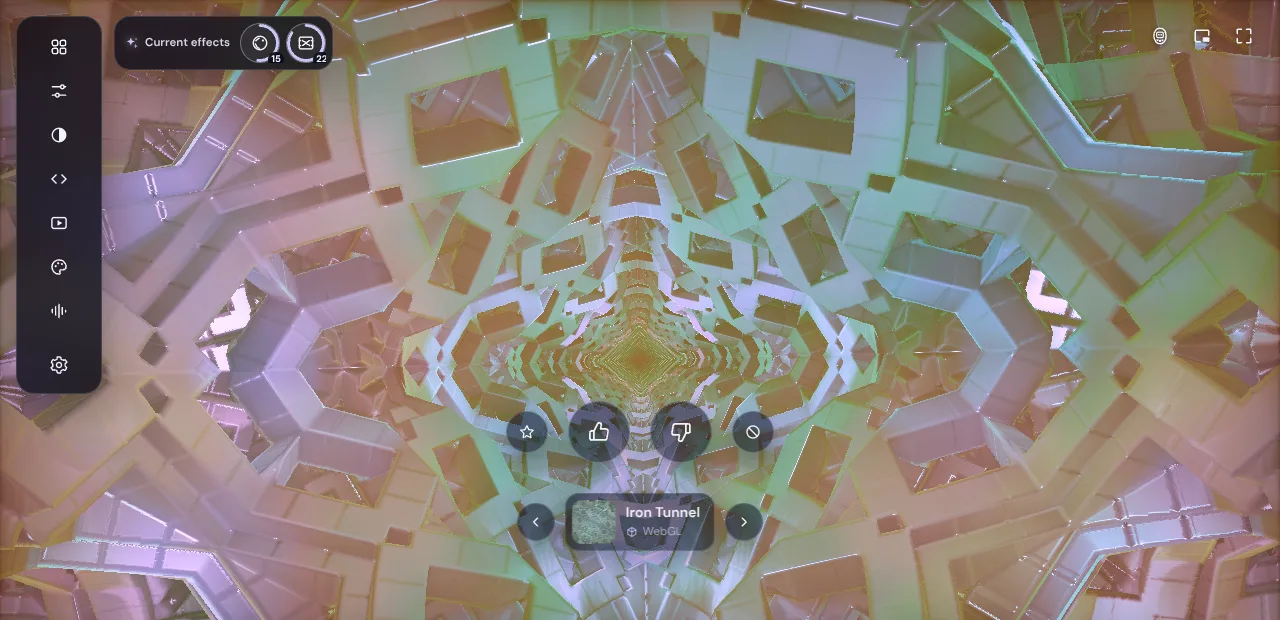
Put on any visualizer preset, even a stunning one, and give it five minutes. At first you can't look away. Then your eye learns the pattern: the tunnel turns the same way, the colours pulse the same way, and the picture slides into the background like wallpaper. Psychologists call this habituation: the more often we see the same thing, the less we react to it, and something new brings the attention back.
Magic mode in Deus is built for exactly that problem. It is an automatic show: you press one button and stop tuning anything.
What Magic does
Magic is a mode next to Single (one preset on screen) and Rotate (your own playlist of presets with your own timer). While it is on, Deus runs the show by itself:
- A new preset every 12 seconds, with a smooth crossfade. Presets come from your rotation, which on a fresh install holds the whole catalog of 1,200+ presets: WebGL scenes, Canvas geometry and the MilkDrop pack. MilkDrop takes at most 30% of the turns, so the classic Winamp style doesn't crowd out the rest.
- Colours that keep moving. The hue slowly travels around the whole colour wheel over a few minutes, and saturation breathes a little. The same preset looks different now and in five minutes.
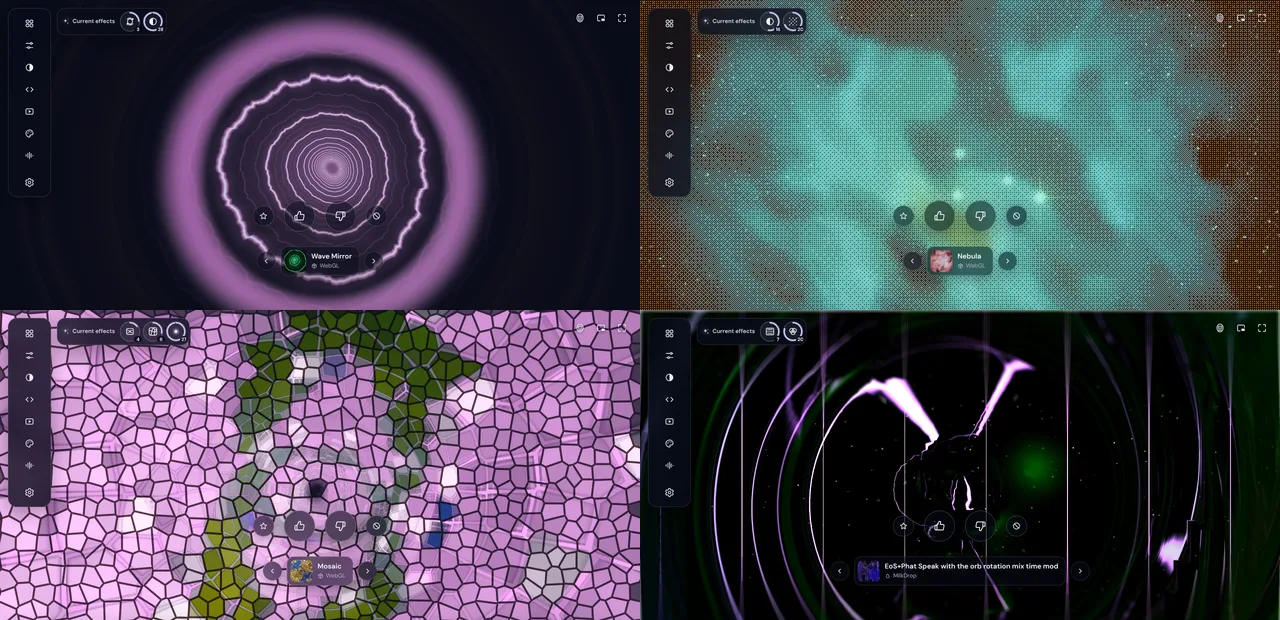
- Effects on a cooldown. On top of the preset Magic lays post-processing filters: film grain, bloom, light leaks, duotone, a CRT screen, halftone, oil paint, a kaleidoscope, a mosaic and more. Usually two are on screen, sometimes three. Each one fades in over a few seconds, stays for 14 to 30 seconds and fades out, and the next one takes its place. Filters are drawn from a shuffled deck, so none comes back until the others have had their turn.
The presets themselves still react to the sound: bass, mids, treble and the beat. Magic only decides what is on screen and how it looks.
Why it doesn't get boring: the maths
Magic draws from 35 of the 50 Deus filters and combines them with 1,200+ presets. A few rules keep the mix tasteful (at most one filter that reshapes the picture, at least one soft colour or light filter in a set of three), and even with them the numbers get big quickly:
- 585 possible pairs of filters, so over 700,000 combinations of a preset and two effects;
- 5,416 possible sets of three, so about 6.6 million combinations of a preset and three effects;
- and all of that on top of a hue that keeps drifting and music that is never the same.
Changing the preset every 12 seconds, it would take about a hundred days of non-stop music just to see each preset with each pair of filters once. In practice that means you never see the same picture twice.
The MrBeast approach, applied to a visualizer
MrBeast is the biggest channel on YouTube, and a big part of his team's leaked production handbook is about retention: how long people keep watching. As Tubefilter's summary notes, it is built around numbers like average view duration and average view percentage. The practical lesson is simple: give the viewer something new before they get a reason to look away.
Magic applies the same idea to a visualizer. The scene changes before you have learned it, a new look arrives every 15 to 30 seconds, and the colour never settles. There is always something just changing or about to change, so the visual holds your attention for a whole album instead of a single song.
Calm, not chaotic
An automatic show that tires the eyes would be worse than a boring one, so Magic has rules about what it never does:
- It skips presets that flash fast, and presets you disliked.
- It leaves out filters that move the whole picture or flicker by themselves: trails, zoom blur, swirl, ripple, VHS, old film. Filters that drain the colour into grey are out too.
- Colour and filters don't jump on the beat. They change slowly, and in silence they stand still.
- If you turned on Fewer flashes, Magic keeps it.
Hands off, but not out of control
Magic needs no settings, but you can steer it with a click:
- 👍 and 👎 under the preset. A disliked preset no longer comes up in Magic, and every vote also feeds the community rating.
- ★ keeps a preset in your favourites, ⊘ takes it out of the rotation.
- Current effects in the top left corner shows the filters on screen right now, each with a countdown ring of the seconds it has left. Press ✕ on one to leave it out of this Magic run.
- The arrows next to the preset card skip to the previous or next preset.
Your own rotation, Mood settings and filters stay saved as they were. Switch to Single or Rotate, and they come back.
How to turn it on
- Install Deus from the Chrome Web Store. On a fresh install Magic is already on.
- Play music on Spotify, YouTube Music, Yandex Music or any other tab (see how to visualize any tab).
- Click the Deus icon and choose Magic, or pick it in the bottom bar of the Deus player: Magic / Single / Rotate.
Magic also works when you render a video of your track: choose Magic in the render dialog and Deus cuts a new random edit every time, a little faster than live, with a preset every 5 seconds so even a short clip shows plenty.
Is it free?
Yes. Magic, all presets, all filters and fullscreen are free with no time limit and no account.