
YouTube Music visualizer: add live visuals to music.youtube.com
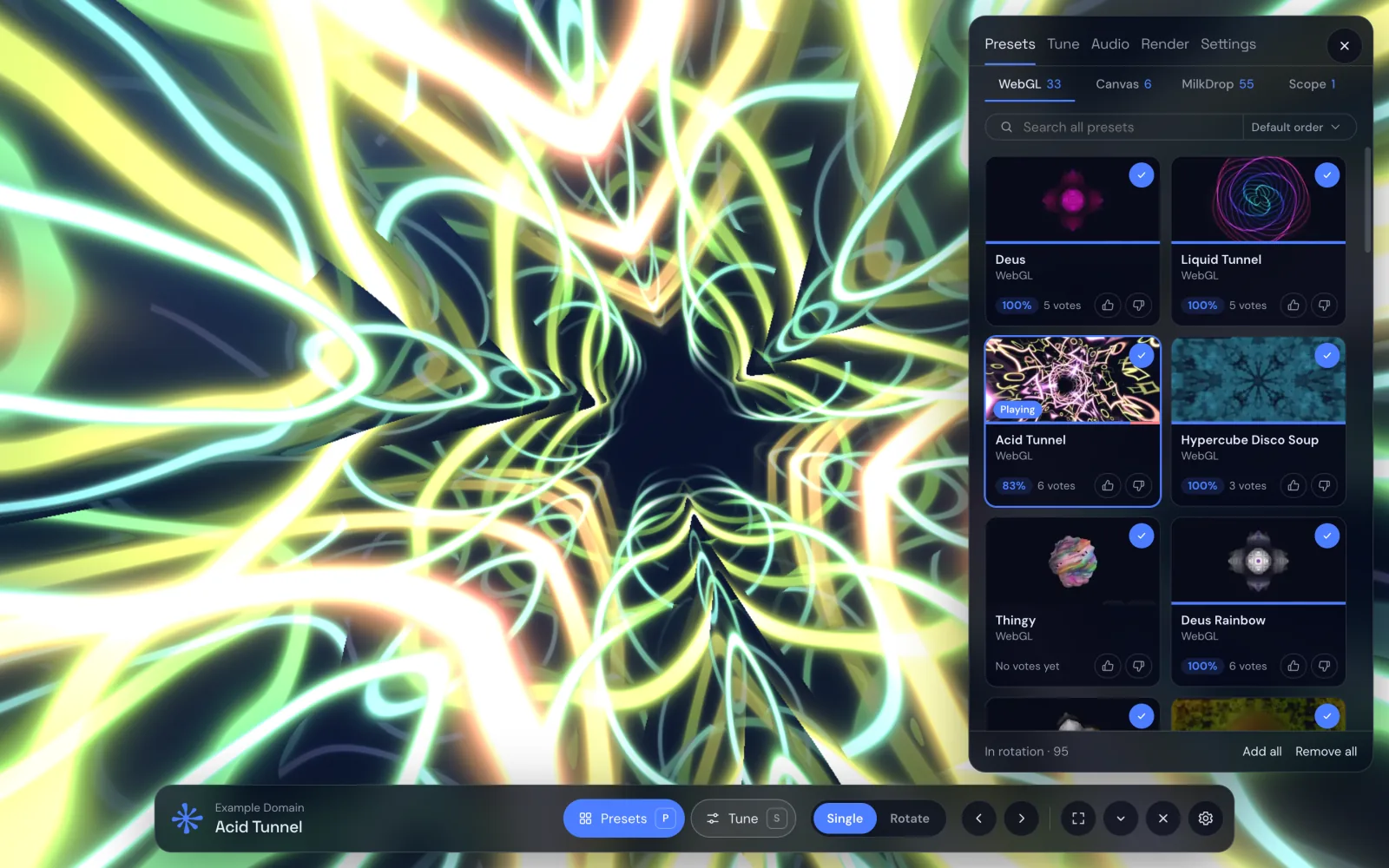
When a song plays in YouTube Music, the big area on the left shows the cover, or the music video if there is one. Nothing in it reacts to the sound. If you want the screen to move with the music, for a party, a stream or just because it looks good, you need a visualizer, and YouTube Music doesn't ship one.
The quick way: a visualizer inside YouTube Music
Deus is a free Chrome extension that draws inside the YouTube Music web player.
- Add Deus to Chrome from the Chrome Web Store and pin it.
- Open music.youtube.com and start a track.
- Turn Deus on in its popup. The artwork column turns into a live visual: the cover goes see-through and the preset plays behind it, in time with the track.
- Press ← → on the page to change presets, or browse them in the popup.
Search, your library, the queue and the player work as usual. Deus listens to the tab's sound; it doesn't replace the player, change what you hear or need your Google account.
Make it fill the screen
The popup's classic Deus button opens the full visualizer for that tab, in its own tab or a separate window. Drag the window to a second monitor or a TV and press F for fullscreen. P opens the preset list, S the Tune panel for the playing preset, H hides the controls.
For a long listening session, switch the preset mode to Rotate: Deus changes presets on a timer you choose, with shuffle if you like, so the screen never gets stale.

Restyle YouTube Music
Deus also recolours the YouTube Music page with any of its 71 themes, light ones included, so the site doesn't have to be black. Chameleon takes its colours from the cover of the playing track and changes with every song. The theme you pick also applies to Spotify, Yandex Music, SoundCloud, Deezer, Apple Music and the fullscreen visualizer.
What about regular YouTube?
On youtube.com watch pages, Deus can put an audio-reactive glow around the video instead of YouTube's ambient mode: it reaches further on the bass, flashes on drum hits and takes its colours from the picture. It's free and off by default; turn it on from the YouTube badge in the Deus popup. And if you want a full visualizer for a YouTube video or a live stream, the any-tab visualizer handles that.
Limits
- Deus works in desktop Chrome with the YouTube Music website. It doesn't change the YouTube Music phone app.
- It doesn't record or download music. To make a visualizer video, you render one from your own audio file.
Using Spotify too? Here is the guide for the Spotify visualizer.
Deus is an independent extension and is not affiliated with YouTube or Google.