Presets · WebGL
Fireworks
Watch Fireworks live in the browser
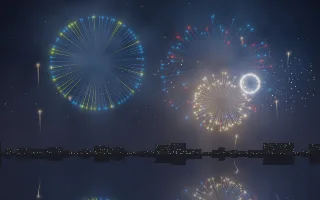
A harbour at night: a low skyline with a few lit windows, dark water, and shells climbing from behind the roofs to burst as peonies, willows and rings. Smoke lingers where shells have burst and catches their light, and the water mirrors everything, broken up by slow ripples.
No sparks are stored. Each follows a closed-form path with air drag and gravity, so a whole burst lies on one expanding, sinking circle and each pixel only checks the few sparks aimed its way. The fireworks clock runs only while there is sound, so in a silent passage the sky holds still like a long-exposure photograph.
What it reacts to
- Kick drum: launches a shell; the bass at that moment sets how big it bursts
- Notes: the detected notes choose each shell's colour (random when no clear note is found)
- Snare: sets off a crackling cluster of white pops, sized by the mids and treble
- Hi-hat: makes the sparks glitter
- Silence: the clock stops and the scene freezes
Tune
Shell size scales every burst, Trail length sets how long the spark streaks are, and Smoke sets how much smoke the bursts leave behind.
Music that suits it
Music with distinct kicks and snares, such as rock, hip-hop or drum and bass, gives a steady show, and melodic tracks with clear notes vary the shell colours.
How to play it
Install Deus, play music on Spotify, YouTube Music, Yandex Music or any other tab and click the Deus icon on that tab. Then pick Fireworks in the WebGL presets, or press ← → on the page until it comes up.