Presets · WebGL
Halftone
Watch Halftone live in the browser
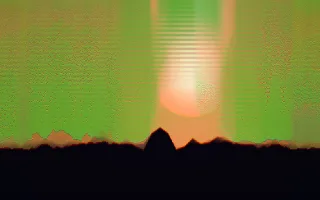
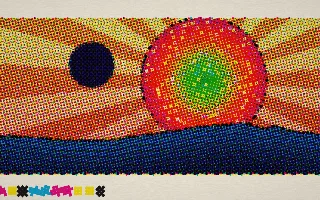
A four-colour print, magnified until the dots show. A picture made from the music, with a sun of concentric spectrum rings, a sky that warms as the track gets louder, the waveform as a hill line and a blot that lands on every kick, is split into cyan, magenta, yellow and black, the way an offset press prints it.
Each ink is screened as a grid of dots turned to the traditional angles (cyan 15°, magenta 75°, yellow 0°, black 45°), each dot as large as the ink it carries, and the inks are multiplied onto fibrous paper. Registration marks, crop marks and a colour control strip sit in the margins, as on a real press sheet.
What it reacts to
- Kick drum: knocks the four plates out of register so colour fringes show, then they slide back; a new ink blot lands
- Spectrum: sets the rings of the sun (bass in the centre, treble at the rim) and the tints in the control strip
- Waveform: draws the hill line across the page
- Bass, mids and treble: the sun grows with the bass, its rays strengthen with the mids, the stripes on the hills brighten with the treble
- Overall loudness: turns the sky from pale blue to warm rose and yellow
Tune
Screen ruling sets how many rows of dots fit the screen height, Misregistration sets how far a kick throws the plates, and Paper picks the paper colour.
Music that suits it
A punchy, regular kick, as in hip-hop, funk or house, keeps the plates jumping out of register, and tracks with a wide dynamic range show the sky changing colour.
How to play it
Install Deus, play music on Spotify, YouTube Music, Yandex Music or any other tab and click the Deus icon on that tab. Then pick Halftone in the WebGL presets, or press ← → on the page until it comes up.