Presets · WebGL
Active Colors

Watch Active Colors live in the browser
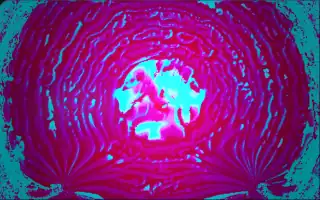
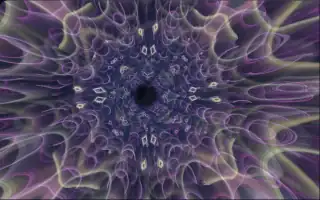
The screen is a continuous field of liquid colour that folds, streaks and churns on itself like paint being stirred, with soft trails and palettes that keep sliding from one set of hues to the next.
It is a feedback system: each frame reads the previous one, displaces it by its own colour values, adds a pattern of folded sine stripes and blends in a slightly blurred copy of itself. Small differences grow into swirls and broad strokes, so the picture never repeats. Every five seconds the colour channels cross-fade into a new arrangement, with a slow hue drift running on top. The preset is a port of a shader called Churning, rewired to Deus's audio analysis.
What it reacts to
- Loudness: pushes the paint; the push grows with the square of the level, so quiet passages barely stir it
- Treble against bass: when treble dominates the paint churns one way, when bass dominates the motion runs back the other way
- Treble hits: a stronger push, brighter greens and blues and a jump in the stripe pattern
Music that suits it
Music with busy hi-hats and cymbals over a moderate low end, such as house, funk or indie pop, keeps the paint churning in bright streaks.
How to play it
Install Deus, play music on Spotify, YouTube Music, Yandex Music or any other tab and click the Deus icon on that tab. Then pick Active Colors in the WebGL presets, or press ← → on the page until it comes up.