Presets · WebGL
Plague
Watch Plague live in the browser
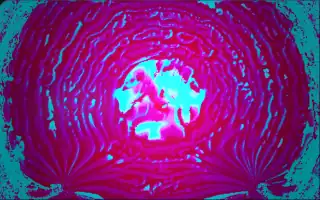
A feverish fluid of veins and eddies melts and swirls across the screen, its colours cycling slowly through several palettes. Rings pass outward from the middle like a heartbeat, and a warm glow sits at the centre.
The image is a feedback fluid simulation: each frame the previous one is advected along its own curl and divergence, so detail stretches into veins. Two invisible brushes stir the fluid from mirrored positions on either side of the centre, pushing and pulling it. The preset is a port of a shader called Vein Melter, with its audio inputs mapped to Deus's analysis.
What it reacts to
- Bass hits: send a ring outward from the centre that flips the fluid's colours, and brighten the warm core
- Bass and treble: heavy bass pulls the fluid into the brushes and treble hits push it out; their balance decides whether it melts upward or downward
- Loudness and bass: zoom the fluid slowly inward and strengthen the heartbeat ring
- Mids: widen the brushes' paths and strengthen their stirring
- Treble hits: intensify the fever colours
Music that suits it
Dark, bass-heavy music such as dubstep, industrial or trap, where bass hits and bright hits alternate, keeps the veins melting in both directions.
How to play it
Install Deus, play music on Spotify, YouTube Music, Yandex Music or any other tab and click the Deus icon on that tab. Then pick Plague in the WebGL presets, or press ← → on the page until it comes up.