Presets · WebGL
Stylo
Watch Stylo live in the browser
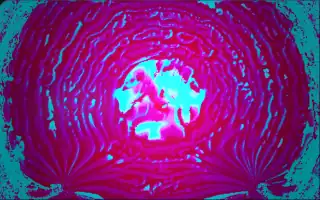
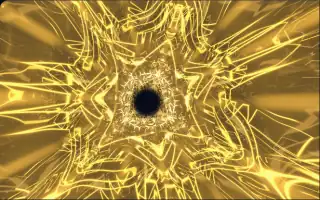
Electric, sharply coloured folds churn in and out of depth, with a smaller, rotated copy of the same scene laid over them. The colours drift across the spectrum, or hold one hue in monochrome mode.
The preset is adapted from a raymarching shader called Glob. A wobbling blob is bent by nested sine waves and marched in a few long steps, and the colour comes from the difference between neighbouring samples, which gives the bright folded edges. Its clock only runs while music plays, so the scene stops when the track does.
What it reacts to
- Bass hits: brighten the base colour of the folds
- Treble: adds a bright highlight to the colour
- Overall loudness: drives the motion and the rotation; silence freezes it
Tune
Color switches between drifting colour and Monochrome, and Monochrome color picks the single hue.
Music that suits it
Electronic music with punchy bass, such as techno or electro, makes the folds flash and keeps them moving.
How to play it
Install Deus, play music on Spotify, YouTube Music, Yandex Music or any other tab and click the Deus icon on that tab. Then pick Stylo in the WebGL presets, or press ← → on the page until it comes up.