Presets · WebGL
Deus Rainbow v2
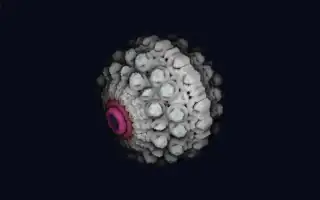
Watch Deus Rainbow v2 live in the browser
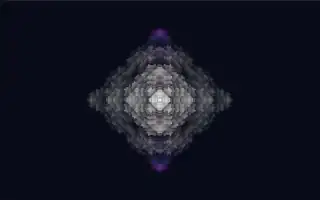
A bright, intricate fractal of folded plates and spires fills the centre of the screen, near white at rest and taking on rainbow hues as notes sound. It turns slowly on three axes and is mirrored into a ring of identical sectors.
The fractal is a kaleidoscopic iterated function system: space is repeatedly folded with absolute values, its axes sorted, then rotated, scaled and offset, and the result is raymarched. Before that, the scene is folded into three to ten mirrored sectors, a count picked at random per run unless a fixed one is chosen. Colour follows pitch: each of the twelve pitch classes owns a hue, 30 degrees apart on the colour wheel, and regions of the surface light up in the colours of the notes being played.
What it reacts to
- Notes: each of the twelve pitch classes tints its regions in its own hue, and sustained or newly struck notes glow brighter
- Loudness: more fold iterations, so the fractal gains detail, and the shape evolves faster
- Bass: the fractal grows and the view zooms in, with an extra push on bass hits
- Attacks: the fractal swells slightly and, with Attack glow raised, flares
Tune
Base evolution speed sets how fast the shape morphs with the music, Random reflections and Reflection count choose the number of mirrored sectors, the X, Y and Z rotation speeds set the turning on each axis, Fold drift speed and Fold phase move the mirror seams, and Attack glow sets how strongly the fractal flares on attacks.
Music that suits it
Melodic music with clear harmony, such as piano, jazz or chord-driven electronic music, shows the colours shifting with the chords.
How to play it
Install Deus, play music on Spotify, YouTube Music, Yandex Music or any other tab and click the Deus icon on that tab. Then pick Deus Rainbow v2 in the WebGL presets, or press ← → on the page until it comes up.