Presets · WebGL
Kuramoto Lattice
Watch Kuramoto Lattice live in the browser
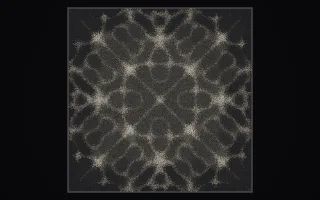
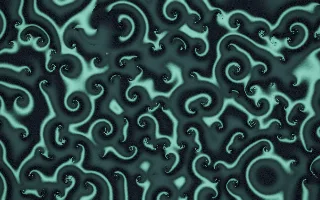
A dark field of phase oscillators, one per cell of a grid at about a third of screen resolution, each ticking at its own natural frequency and pulled toward the average phase of its 48 nearest neighbours. Thin bright wavefronts mark where phases line up, incoherent patches go dark, and over time the field organises itself into rotating spirals and target rings.
The rule is the Kuramoto–Sakaguchi model, a classic description of synchronisation in fireflies, pacemaker cells and power grids. With a phase lag added it produces chimera states: islands of perfect synchrony inside a disordered sea. The lattice only evolves while music plays and freezes in silence.
What it reacts to
- Loudness: runs the lattice's clock and raises the coupling, so loud passages lock it into order
- Bass: adds further coupling strength
- Mids: increase the phase lag, which favours chimeras and broken spirals
- Treble: widens the spread of natural frequencies, making the field more restless
- Kick drum: about four kicks in ten plant a new spiral core at a random spot
Tune
Coupling, Phase lag and Speed set the base pull between neighbours, the lag and the pace, and Accent color sets the colour of the wavefronts.
Music that suits it
Music with a steady pulse and long loud stretches, such as minimal techno or post-rock, lets the spirals settle and then seeds new ones on the kicks.
How to play it
Install Deus, play music on Spotify, YouTube Music, Yandex Music or any other tab and click the Deus icon on that tab. Then pick Kuramoto Lattice in the WebGL presets, or press ← → on the page until it comes up.