Presets · WebGL
Droste Spiral
Watch Droste Spiral live in the browser
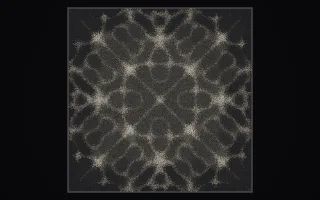
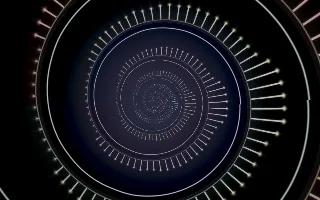
The screen shows a ring of luminous needles, the live spectrum mirrored around a circle, with a thin waveform ring near its outer edge. Inside it sits a smaller copy of the same ring, and inside that another, winding inward along a logarithmic spiral without end.
The construction follows the map behind M. C. Escher's Print Gallery (1956): take the logarithm of the plane so the ring becomes a strip, tilt the strip by an angle set by the size ratio between copies, and map it back. One turn around the centre then steps exactly one level deeper. The spiral slides inward on a clock that runs faster when the music is louder, and a slight Möbius wobble lets its centre wander.
What it reacts to
- Spectrum: each needle's length follows its frequency band, mirrored around the ring
- Waveform: the outer ring ripples with the live wave, more strongly when the music is louder
- Bass: the copies sit closer together, tightening the spiral
- Bass hits: the centre of the spiral flares
- Loudness: drives the zoom into the spiral, which slows as the music quiets
Tune
Zoom speed sets how fast the spiral pulls inward, and Extra twist bends the strip away from the pure Droste angle, coiling the spiral tighter or unwinding it.
Music that suits it
Music with a steady, weighty low end and a full spectrum, such as deep house or ambient techno, keeps the needles long and the spiral tight and moving.
How to play it
Install Deus, play music on Spotify, YouTube Music, Yandex Music or any other tab and click the Deus icon on that tab. Then pick Droste Spiral in the WebGL presets, or press ← → on the page until it comes up.