
SoundCloud visualizer: live visuals for SoundCloud, Bandcamp and Mixcloud
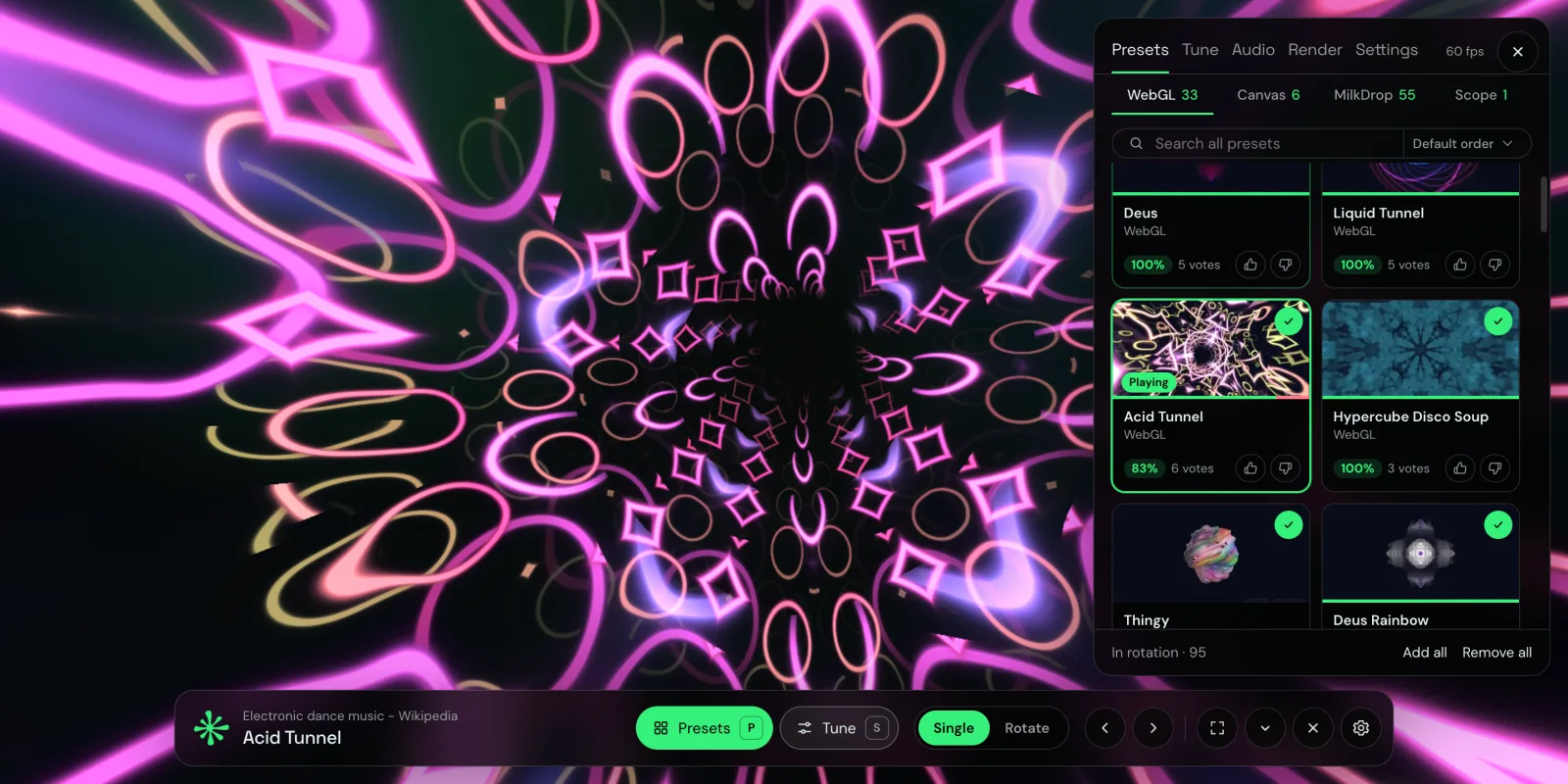
SoundCloud shows a waveform under every track, and that's about it for visuals. It's useful for seeing where the drop is, but it doesn't move with the music. If you want something on screen that pulses with the kick and swells with the bass while a two-hour DJ mix plays, you need a visualizer that can hear the tab.
This guide shows how to get one for SoundCloud in Chrome. The same steps work for Bandcamp, Mixcloud and any other site that plays music in a tab.
How a SoundCloud visualizer works in the browser
A visualizer needs the actual sound, not just the track's metadata. Chrome lets an extension capture the audio of one tab, with your permission, at the moment you start it. Deus uses that: it reads the sound of the SoundCloud tab, analyzes it locally (bass, mids, treble, kicks, snares, hi-hats) and draws visuals that follow it in a separate tab or window.
For the visualizer in its own tab, Deus doesn't change the SoundCloud page, and it doesn't need a SoundCloud account (there is also an in-page visual, see below). Nothing is recorded or uploaded, and the capture stops when you close the visualizer.
Step by step
- Install Deus from the Chrome Web Store (free) and pin it to the toolbar.
- Open soundcloud.com and play a track, a playlist or a mix.
- Click the Deus icon. Choose where the visualizer opens, Tab or Window, and press Visualize this tab.
- The visual opens next to the SoundCloud tab. Press P to pick presets, S to tune the current one, F for fullscreen and H to hide the panel and bar.
SoundCloud keeps playing in its own tab, so you can still skip tracks, like them and browse while the visualizer runs. If you close the SoundCloud tab, the visualizer stops.

Made for long mixes: Rotate mode
SoundCloud and Mixcloud are full of hour-long DJ sets, and one preset for an hour gets old. Switch the control bar from Single to Rotate and Deus changes presets on a timer, in order or shuffled. You choose the interval and which presets take part in the rotation, so a techno set can stay on dark tunnels and fractals while an ambient mix gets slow, soft scenes.

Bandcamp, Mixcloud and other sites
Nothing here is specific to SoundCloud. Any regular web page (http or https) that plays sound in a tab works the same way:
- Bandcamp: album streams and previews before you buy.
- Mixcloud: radio shows and DJ mixes.
- Web radio, YouTube and Twitch: stations, music videos and live DJ streams.
Chrome's own pages (chrome://) and other extensions' pages can't be captured. Spotify, YouTube Music, Yandex Music, SoundCloud, Deezer and Apple Music are a special case: there Deus also draws visuals right inside the player page, see the Spotify visualizer guide.
Put SoundCloud on a TV or second screen
Choose Window in the popup, drag the window to the other display and press F. SoundCloud stays in your main window, and the second screen becomes an ambient display for whatever is playing. There's more on this in how to put a visualizer on your TV.
Pick a style
The catalog has 134 presets in four groups: WebGL shader scenes (tunnels, terrains, fractals), Canvas 2D geometry, classic MilkDrop presets and an XY oscilloscope. Every preset has community ratings, so you can sort by what other listeners liked. If you write GLSL, Deus Studio lets you build your own, and the how music visualizers work article explains what the presets react to.
Is it free?
Yes. The any-tab visualizer, fullscreen, Rotate mode and all presets are free with no time limit and no account. Deus Pro, a one-time purchase, adds a floating picture-in-picture window that stays on top of other tabs and apps, a live audio-analysis panel and watermark-free video export.
What it doesn't do
- It doesn't record or download SoundCloud tracks. If you want a visualizer video for your own release, Deus renders one from an audio file you own.
- It works in desktop Chrome, not in the SoundCloud mobile app.
Deus is an independent extension and is not affiliated with SoundCloud, Bandcamp or Mixcloud.